A Whirlpool dishwasher that will not start is usually waiting on something simple: power, a fully latched door, a control lock, a delayed start or an open water valve. Work through those in order, try one power reset if the manual allows it, and book service if the unit still does nothing.
A dishwasher that will not start can be frustrating, especially when it interrupts a normal household routine. A symptom alone does not identify a failed part, so start with observations that are safe, repeatable, and useful if you later arrange a Whirlpool service visit.
This guide separates routine care from work that requires testing or disassembly. Do not bypass a lock, safety switch, or error message to keep an appliance running. Taking a few notes now can make the eventual diagnosis faster and more accurate.
Start with the simple conditions
Confirm power, a fully latched door, and whether delay start or control lock is active before selecting the program again. Make the check with the appliance in its normal position and without forcing panels, fittings, or controls. If the result changes after a simple adjustment, run one normal cycle or operation before drawing a conclusion.
A dishwasher may appear unresponsive when it is waiting for a delayed start, a door latch signal, or an available water supply. Look for a pattern: whether the issue happens every time, only with a particular load or setting, or after the appliance has been running for a while. That distinction is more valuable than repeatedly restarting the appliance.
Locks and delays that look like a fault
Whirlpool’s product help says a lit lock icon means the control lock is on and all buttons are disabled, and on some models a button press flashes the light three times. A delay wash postpones the cycle, sometimes to off-peak hours, and pressing Cancel/Drain cancels it.
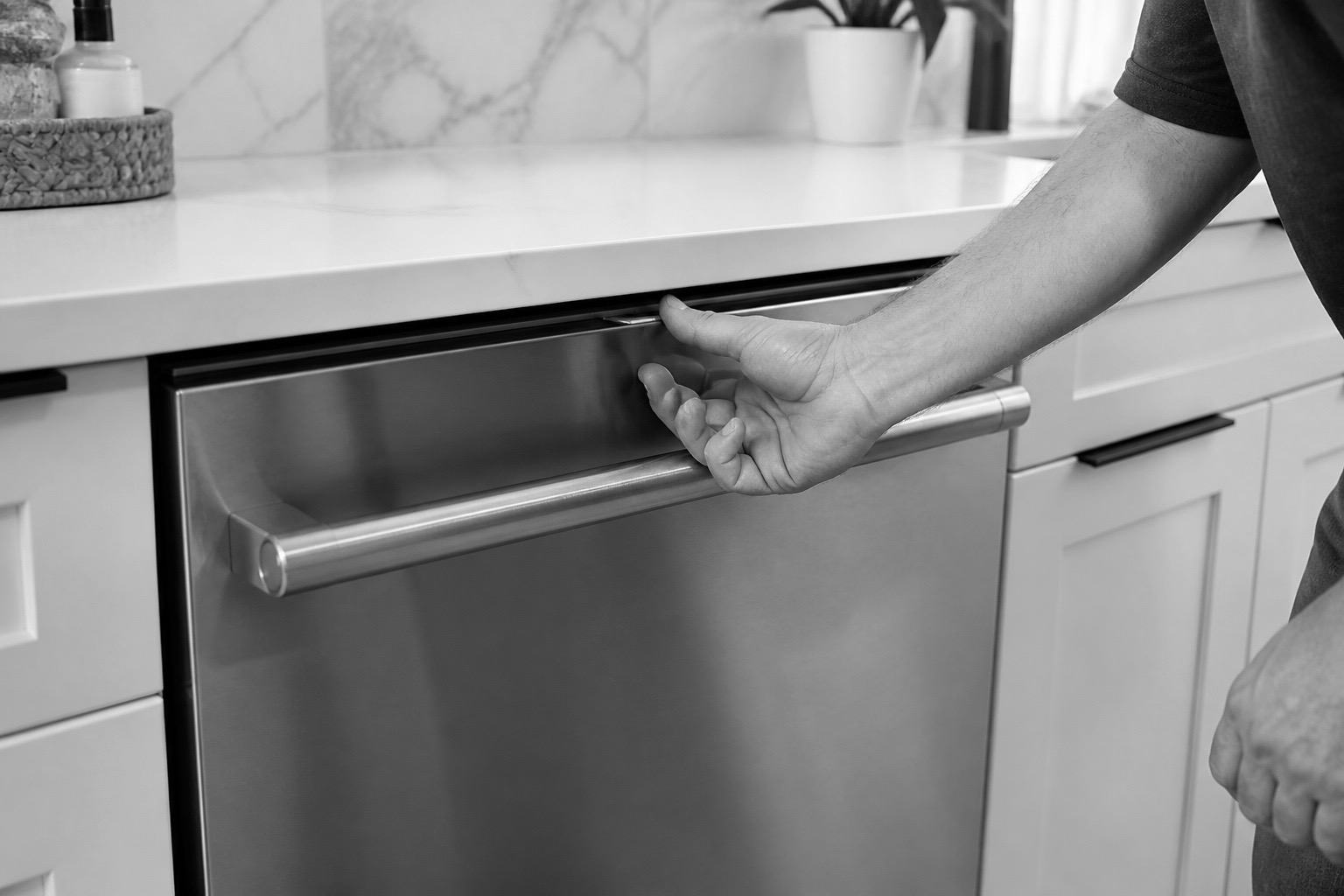
The door latch matters too. A lower rack installed backward can keep the door from latching fully, so check that the rack sits as designed before blaming the latch.
One documented reset
The guidance describes pressing Cancel, then disconnecting power for about a minute by unplugging the unit or switching its breaker off, and restoring power. Another page describes a power cycle of about 30 seconds. The time differs by page, so follow your own manual.
| Symptom |
Likely cause |
Safe check |
| No display |
Power issue |
Check outlet safely |
| Beeps at start |
Door not latched |
Close firmly |
| Starts later |
Delay setting |
Review controls |
Safe checks that protect the appliance
Consult the use-and-care manual for model-specific controls, filter access, and maintenance intervals. Clean only parts described as user-serviceable, use the recommended cleaning products, and refit every removable part exactly as it was designed to sit.
Before trying another cycle, clear obstructions, reduce an unusually heavy load, and make sure airflow, water supply, or door clearance is not being restricted. Avoid repeated resets: they can hide an intermittent fault and may leave water, heat, or pressure where it should not be.
If the display is completely dark, the problem is more likely on the power side than in the controls. Confirm the breaker and, where the outlet is accessible and dry, that the plug is seated, and do not disassemble anything to look further.
Once the unit starts, run one normal cycle and note whether it completes. A start that fails again soon after is a pattern worth passing to the technician.
- Record any displayed message or error code before clearing it.
- Check visible hoses, vents, seals, and plugs without moving electrical connections.
- Use one controlled test rather than several back-to-back attempts.
Reading a code when there is one
Digital models show an F and E pair. On models with flashing lights, you count the first set of flashes as the F number, pause, then count the second set as the E number. Whirlpool lists examples such as F9E1 for a long drain and H20 for water not being detected, and notes that exact codes vary by model.
Use the code to guide what you tell a technician, not to guess at a part.
When the cause is not the dishwasher
A tripped breaker, a closed supply valve or a switched outlet can all stop a dishwasher without any fault inside it. Check the breaker first, and shut off power at the breaker before looking behind the unit. If you smell burning, see damaged wiring or find the breaker tripping repeatedly, stop and call a technician.
Safe to try
- Check controls
- Confirm door latch
- Verify supply valve
Leave to a technician
- Bypass the latch
- Open control panel
- Force buttons or hinges
Know when the symptom needs diagnosis
If the basic checks do not change the symptom, stop at the user-serviceable boundary. Internal wiring, heating circuits, pumps, motors, refrigerant lines, gas connections, and control boards need the correct test equipment and a technician who can verify the repair safely.
Arrange service promptly when performance is getting worse, the appliance trips a breaker, leaks near electrical parts, smells hot or burnt, makes a new grinding noise, or cannot complete a normal cycle. Do not continue operating an appliance that gives a safety warning.
What to tell the technician
Share the model number, the exact symptom, when it began, what settings were selected, and the results of the safe checks above. A photo of a code or a short description of the sound can also help, but never remove a cover to obtain it.
Careful observation is not a substitute for repair, but it is the best first step. Address the simple conditions, preserve any useful error information, and leave electrical, gas, sealed-system, and internal mechanical work to a Whirlpool technician.
Common questions
Why does my dishwasher beep and not start?
The door may not be fully latched, or a control setting may be blocking the start. Check the latch, the rack position and the lock indicator.
How do I turn off the control lock?
Whirlpool’s guidance says to hold the Control Lock button for three seconds, though you may need to wake the control first. Check your manual for your model.
Is it safe to reset the dishwasher more than once?
One documented reset is reasonable. If the unit still will not start, repeated resets will not help and a diagnosis is the next step.